The Pre-Purchase Checklist Every GSM Repair Shop Needs Before Buying Used Phones
By Timothy Munene on August 10, 2026
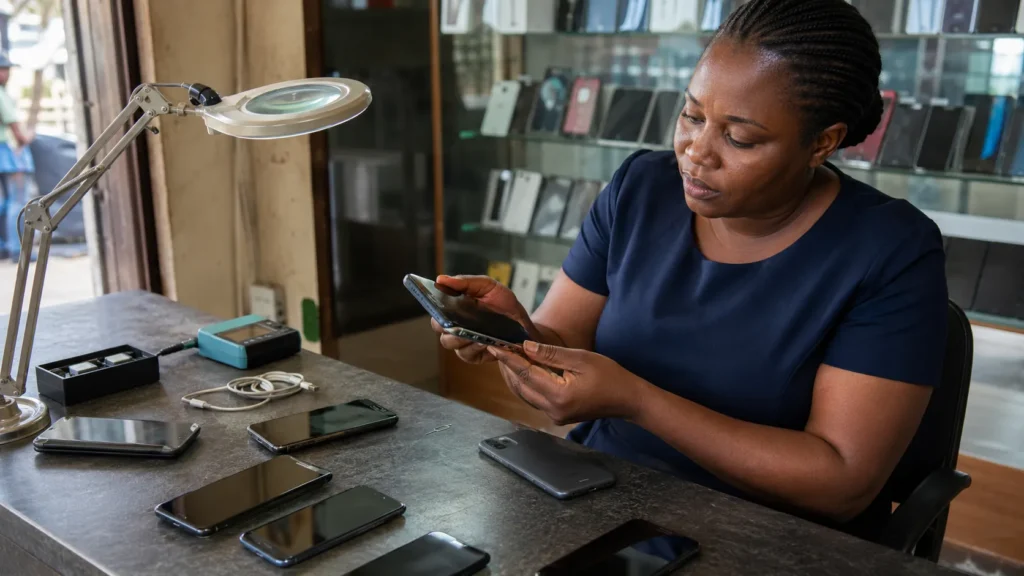
Why Used Phone Buying Is Where Repair Shops Lose the Most Money
Most GSM repair shops do not just fix phones, they buy them too. Walk-in customers trade in an old device for cash or credit, wholesalers offer bulk lots, and sometimes a supplier shows up with a handful of units at a price too good to pass up. Buying used stock is a normal, profitable part of the business, right up until one device turns out to be a problem.
Retail businesses can usually absorb the occasional bad decision because the margin on everything else covers it. Used phone buying does not work that way. A single blacklisted or iCloud-locked device does not just fail to turn a profit, it can wipe out the margin from several good purchases at once, plus the time spent trying to fix, return, or quietly write off the loss. The risk is not evenly spread across your stock, it is concentrated in whichever device you did not check carefully enough.
The good news is that this risk is almost entirely preventable. It just takes a consistent checklist applied before the money changes hands, not after.
The Four Checks to Run Before You Pay
Each of these checks answers a different question about the device, and together they cover the situations that actually cost repair shops money.
- IMEI Check: confirms the device’s real model, specifications, and original carrier lock. This catches devices where the seller’s description does not match the actual hardware, intentionally or otherwise.
- Blacklist Check: confirms the device has not been reported lost, stolen, or blocked by a carrier. This is the single most damaging thing to miss, since a blacklisted phone can become completely unsellable the moment it is flagged, even if it was working fine when you bought it.
- iCloud Check: for iPhones and iPads specifically, confirms whether the device is locked to someone else’s Apple ID through Activation Lock. A locked device cannot be activated by a new owner, which makes it dead stock the moment you take it in.
- Warranty Check: confirms remaining manufacturer coverage and the device’s original purchase region. This matters both for pricing accuracy and for spotting devices that may not be what the seller claims.
Run all four before you agree on a final price, not after. A seller who knows their device will pass every check has no reason to object to a two-minute verification. One who pushes back or tries to rush the sale is telling you something.
What Skipping a Check Actually Costs
These are not hypothetical risks. They play out in predictable ways.
A shop buys a phone that looks clean and powers on fine. A week later, after it has already been resold, the buyer reports it will not connect to any network. It turns out the device was reported stolen shortly before the original sale, and the blacklist flag only propagated after the shop already had it in inventory and sold it forward. The shop is now dealing with an angry customer and a refund, and the money paid to the original seller is gone.
A shop buys an iPhone advertised as “like new, just needs a new owner.” It looks pristine. What the seller did not mention, and what a basic visual inspection cannot catch, is that it is still signed into someone else’s Apple ID with Activation Lock on. The phone cannot be set up by anyone else until the original owner removes it remotely, which they have no obligation or incentive to do. The device sits as dead stock.
A shop pays a premium for a phone described as having significant remaining manufacturer warranty. A warranty check would have shown the coverage had already expired, or that the device’s purchase region meant the warranty never applied locally in the first place. The premium paid was for coverage that did not exist.
In every case, the fix was available before the purchase, not after. A two to three minute check would have caught each of these before the money left the till.
Building the Checklist Into a Repeatable Process
Knowing the four checks matters less than actually running them every time, on every device, regardless of how busy the shop is or how trustworthy the seller seems. A few things make that consistent in practice rather than something that quietly slips when things get busy.
- Make it a fixed step in the buying process, not a judgment call. Every used device gets checked before a price is agreed, no exceptions, regardless of who is selling it or how the shop day is going.
- Use the IMEI as the anchor for the whole process. One IMEI check surfaces the model, carrier lock, and warranty status together, so staff are not running separate lookups for each piece of information.
- Keep a record of the check results alongside the purchase. If a dispute comes up later, being able to show the device passed a blacklist and iCloud check at the time of purchase protects the shop’s side of the story.
- For bulk or wholesale lots, check every unit individually before finalizing the purchase, not a sample. A bad unit in a batch of ten is still a full loss on that one unit, and blacklist status is not something that correlates across a lot just because the rest look fine.
- Train every staff member who handles buy-ins on the same process, not just the owner. The riskiest purchases are often the ones made when the owner is not the one behind the counter.
Once this becomes routine, it takes only a few minutes per device and pays for itself the first time it catches a problem before the shop’s money is already spent.
Frequently Asked Questions
Do I really need to check every phone, even ones that look fine?
Yes. Blacklist status and Activation Lock are both things a visual inspection or a working screen cannot reveal. The devices that cause the most damage are usually the ones that looked completely normal at the point of sale.
How long does a full check take?
Running all four checks through a single panel typically takes a couple of minutes per device, since the IMEI check alone returns model, carrier lock, and warranty information together.
What if I already paid before running the check?
If a device fails a check after payment, act immediately, contact the seller before the transaction is any further out of reach, and document the result. This is exactly why running checks before payment is worth building into the process as a hard rule rather than an afterthought.
Does this process work for bulk or wholesale purchases too?
Yes, and it matters more at volume, not less. Check every unit individually rather than sampling a batch, since blacklist and lock status do not correlate across units bought from the same source.
Is this different from the checks I should run before I resell a device?
The same four checks apply on both ends of the transaction. Running them before you buy protects you from bad stock, and running them again (or simply keeping the original results on file) before you resell protects the customer and your reputation.
The Bottom Line
Buying used phones will always carry some risk, but almost all of that risk is avoidable with a consistent, four-point check run before every purchase. IMEI, blacklist, iCloud, and warranty checks together take only a few minutes and directly address the scenarios that actually cost repair shops money. Building this into a standard process, rather than relying on judgment call by call, is what turns used phone buying from a gamble into a reliable part of the business.